
Senasis Inkūnų kaimas
Senasis Inkūnų kaimas įsikūręs Šventosios kraštovaizdžio draustinyje,apsuptas Saldagirio miško. Kaime išlikę kelios senos autentiškos trobos, taip pat išlikę kaimo tvorų fragmentai. Kaime yra medinė Švč. Aušros Vartų Dievo Motinos bažnyčia. Šalia jos trykšta, vietinių šventu vadinamas, šaltinis. Į jį vandens žmonės atvyksta ne tik iš aplinkinių kaimų, bet ir iš 20 km, nuo čia nutolusių Anykščių. Tarp vietinių gyva legenda, kad kaime apsireiškė Šv. Mergelė Marija, o jos apsireiškimo vietoje ištryško šaltinis. Po įvykio į šią vietą pradėjo plūsti tikintieji. Todėl ant šalia esančios kalvos buvo nuspręsta pastatyti medinę bažnytėlę.
Šalia kaimo yra didelė bebrų užtvanka.
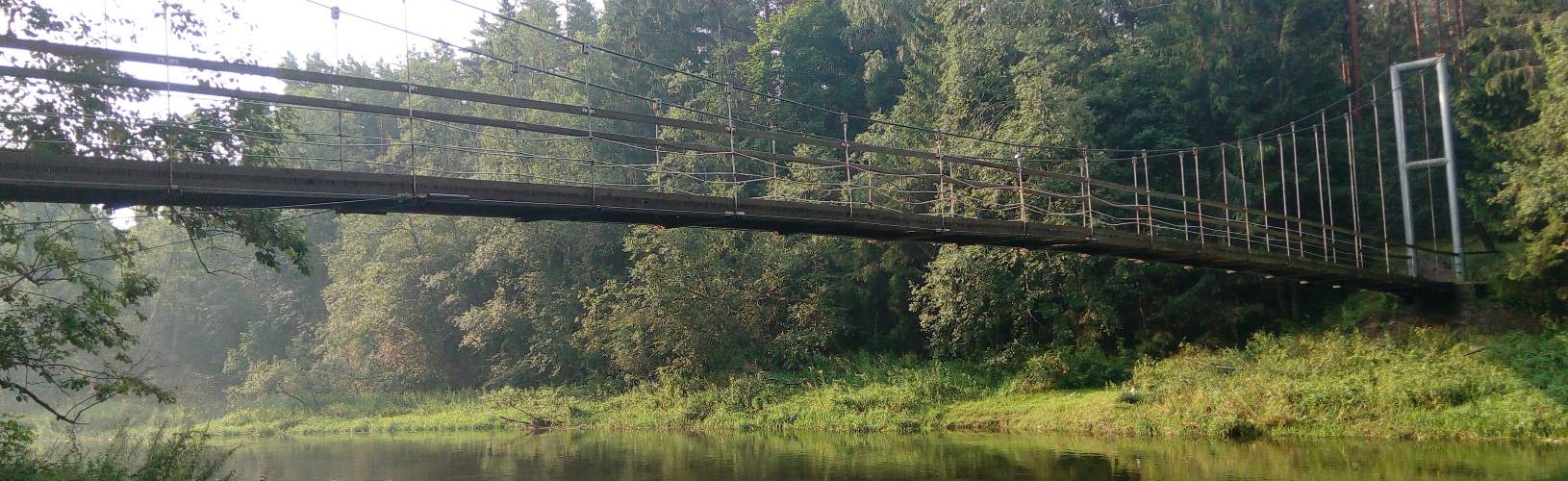
Mikierius ir Inkūnus skiria upė. Kad kaimo žmonės galėtų vieni kitus pasiekti buvo pastatytas medinis tiltas. 2002 m. jis dėl prastos būklės buvo nugriautas ir vietoj jo kariškiai pastatė laikiną pontoninį tiltą, kuris galiausiai buvo pakeistas pakabinamu plieniniu beždžionių tiltu, kuris yra ilgiausias tokio tipo tiltas Lietuvoje.
Bažnyčia, šaltinis ir bebrų užtvanka yra vienas šalia kito ir nuo sodybos nutolę vos per 1 km., o vienintelis būdas iš Mikierių paskiekti Inkūnus yra minėtas "beždžionių tiltas", todėl rytinis tyro vandens atsinešimo ritualas mūsų slėnio svečiams yra tiesiog neišvengiamas... Juolab, kad tai dar ne viskas ką galime nuveikti Inkūnuose..
Kaime yra vietos bendrijos iniciatyva pastatytas medinių skulptūrų parkas - Inkūnų atminties parkas, skirtas atminti aplink išnykusiuose kaimuose buvusioms sodyboms. Kiekviena skulptūra simbolizuoja po vieną sodybą.
Žingindesniems Inkūnų lankytojams rekomenduojame aplankyti juodosios keramikos dirbtuves - jos taip patįsikūrę pačiame kaime. Apsilankius galima ne tik įsigyti išrūgų keramikos ar kitokių unikalių gaminių, bet ir susitarti dėl edukacijos užsiėmimų vaikams ar suaugusiems.
Turiningas 4 dienų vasaros atostogų pasiūlymas šeimai vos už 75 eur/asm
Kviečiame šeimos vasaros atostogas praleisti tyrame ore nuostabioje natūralaus grožio aplinkoje - Šventosios kraštovaizdžio draustinyje, Mikierių km. Anykščių raj.
Jūsų paslaugoms specialus 4-ių dienų atostogų pasiūlymas 4-5 asm šeimai nuo 75 eur/žm.:
- nakvynė 4-5 vietų kambaryje 3 paras
- Pažintinis žygis po apylinkes pagal "legendą" (pėsčiomis, 5km, trukmė apie 1,5-2 val)
- "Mega tarzankė" - kiekvieno paauglio trokštamiausia pramoga prie upės
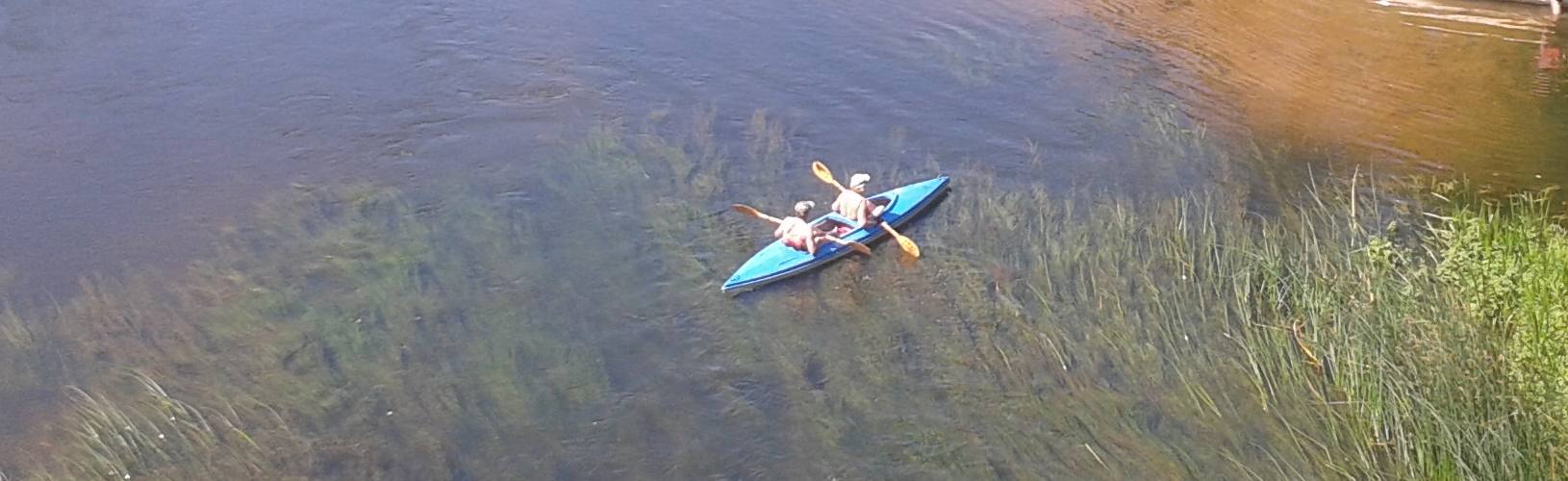
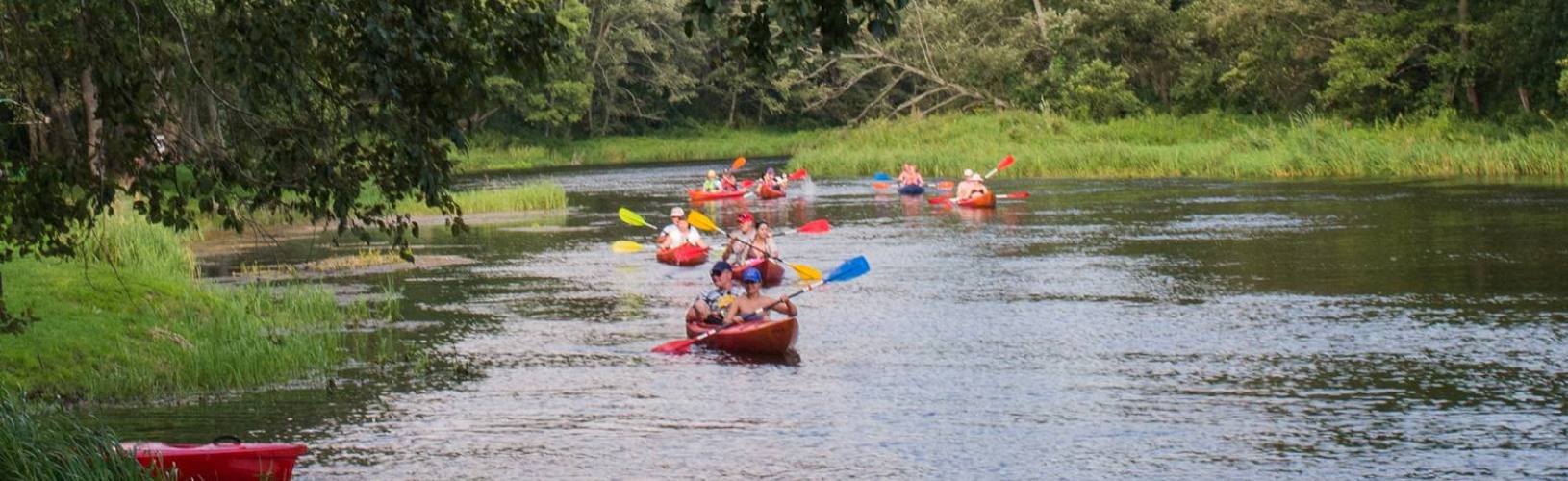
- Baidarių žygis 2 dienoms
- virtuvė maisto gamybai su indais ir buitine technika
- turistinis inventorius (šašlykinė, kepsinės, malkos kepimui)
- sportininis-pramoginis inventorius (tinklinis, badmintonas, krepšinis, futbolas ir stalo žaidimai)
- bibliotekėlė
*-Minimalus užsakymo kiekis - 4 asm. (1 kambarys). Maksimalus - 17 asm. (4 kambariai)
Atostogų pavyzdys:
1 diena - 15-23 km žygis baidarėmis Šventosios arba Jara+Šventoji upėmis. Pakeliui didieji Šventosios kilpų skardžiai - Šventosios vizitinė kortelė. Būtina pakeliui sustoti pasirinkti grybų ir uogų vakarienei! Finišas mūsų sodyboje Mikierių km., Šventosios upės kraštovaidžio draustinio viduryje. Po žygio - badmintonas, krepšinis, tinklinis, smiginis, stalo ir kt. žaidimai. Nakvynė vasarnamyje.
2 diena - žygis pėsčiomis (arba dviračiu) pagal legendą (specialus mūsų parengtas žemėlapis su nuorodomis; g.b. 0,5-2 val. trukmės). Pamatysite įspūdingų ąžuolų, skirtingų paplūdimių, danielyną, pakabinamą tiltą, pasisemsite tyro šaltinio vandens ir galbūt aplankysite juodosios keramikos dirbtuves. Žygis gali būti derinamas su grybavimu ir uogavimu (išduosime keletą vietų kur gausiai dygsta baravykai ir voveraitės:)). Antrą dienos pusę laisvas laikas maudynėms upėje ar papildomoms pramogoms ir žaidimams. Rekomenduojame maudynių paįvairinimui nuvykti iki gražaus miško ežeriuko (4 km. nuo sodybos) su neįtikėtinai smėlėtu paplūdimiu. Vakare žvejai mėgėjai (jei tokių yra:)) privalo pagauti žuvies vakaro žuvienei (kimba šapalai, kuojos, ešeriai, lydekos). Nakvynė vasarnamyje.
3 diena - plaukiame toliau žemyn upe Šventosios kraštovaidžio draustiniu (Mikieriai-Andrioniškis). Pakeliui "Lašinių rėva" (slenkstis) ir Jasiūno malūno liekanos. Poilsis. Nakvynė vasarnamyje.
4 diena - išvykimas. Kambarį atlaisvinti iki 12.00 val.
Specialaus pasiūlymo kaina*. Dviejų baidarių Vista su papildoma kėdute vaikui iki 8 m. (arba trivietės kanojos ir dvivietės baidarės) nuoma 2 dienoms, žmonių ir baidarių transportavimas, 4-5 vietų kambarys 3 paroms (su balta patalyne), galimybė naudotis virtuve su buit. tecnhnika ir indais, Mega tarzankė, žygis pėsčiomis pagal legendą ir sodybos turistinis-sportinis inventorius, vieta automobiliui - viso 300 eur.
Papildomai užsakant pirtį - plius 50 eur.
*-Specialus pasiūlymas galioja darbo dienomis iki rugsėjo 1 d.
Papildomos paslaugos sodyboje:
- irklenčių nuoma - 8 eur/val., 12 eur/2val
- šaudymo iš lanko pramoga su instruktoriumi – 5 eur/10 šūvių
- Dažasvydis - 15 eur/žm. Minimalus užsakymas – 150 eur. Užsiėmimo trukmė apie 2 val
-„Zip line“ - skrydis lynu per upę - 3 eur/žm (arba 30 eur/val)
- Tiras vaikams – 20 Eur/ 200 šuvių (arba 5 eur/20 šūvių)
- Dviračių nuoma – nuo 15 Eur/d
Atvykite į Šventosios upės slėnį, pajuskite jo ypatingą aurą ir pasisemkite gamtos dosniai dovanojamų galių!
Slideset
The Widgetkit Slideset takes your product showcase to the next level. It provides a sleek way to show multiple sets of items and uses smooth effects while looping through them.
Features
- Clean and very lightweight code
- Eye-catching transition effects
- Fully responsive including all effects
- Support of named custom sets
- Swipe navigation on mobile phones
- Built with HTML5, CSS3, PHP 5.2+, and the latest jQuery version
- Works with Joomla and WordPress
Slide Example
The sets are auto generated (4 items per set), item names are shown and it uses the slide effect and navigation buttons.
-

-

-

-

-

-
-
-


-
-
-
-


Zoom Example
The sets are arranged manually, the sets names are used as navigation and it uses the zoom effect.






Drops Example
The sets show the item names and it uses the drops effect and navigation buttons.
-

-

-

-

-
-
-
-


-
-
-
-


Deck Example
This auto generated sets uses prev/next buttons as navigation and the deck effect.
How To Use
The Widgetkit Slideset takes full advantage of the very user-friendly Widgetkit administration user interface. You can create and manage all the slidesets and their different items in one place. After you have created a slideset you can load it anywhere on your website using shortcodes or the universal Widgetkit Joomla module or WordPress widget.
Accordion
The Widgetkit Accordion enables you to display a set of items in a compact space, by clicking on each items header it expands or collapses it's content section.
Features
- Clean and very lightweight code
- Responsive design to fit all device resolutions
- Smooth transitions on content section toggle
- Option to match automatically the height of varying content
- Option to auto collapse or allow multiple opened items
- Built with HTML5, CSS3, PHP 5.2+, and the latest jQuery version
- Works with Joomla and WordPress
Example
Slide 1

Headline
Lorem ipsum dolor sit amet, consectetur adipisicing elit, sed do eiusmod tempor incididunt ut labore et dolore magna aliqua.
Slide 2

Headline
Lorem ipsum dolor sit amet, consectetur adipisicing elit, sed do eiusmod tempor incididunt ut labore et dolore magna aliqua.
Slide 3

Headline
Lorem ipsum dolor sit amet, consectetur adipisicing elit, sed do eiusmod tempor incididunt ut labore et dolore magna aliqua.
Slide 4

Headline
Lorem ipsum dolor sit amet, consectetur adipisicing elit, sed do eiusmod tempor incididunt ut labore et dolore magna aliqua.
How To Use
The Widgetkit Accordion lets you easily create and manage all the accordions contents through the user-friendly Widgetkit administration user interface. After you have created an accordion you can load it anywhere on your website using shortcodes or the universal Widgetkit Joomla module or WordPress widget.
Map
The Widgetkit Map provides a simple solution for adding a map to your website. Various features let you customize the map like changing colors and adding markers or directions.
Features
- Location selection with auto geocoding
- Support for multiple map markers with text popups
- Option to get the direction to the active marker
- Support for custom map styles and colors
- Uses the latest Google Maps API
- Built with HTML5, CSS3, PHP 5.2+, and the latest jQuery version
- Works with Joomla and WordPress
Direction Example
This map features all map controls, multiple markers and you can get the direction.
Color Scheme Example
Set or invert the hue, saturation, lightness and gamma of a map.
Minimal Example
This map has a fixed width, no controls and no markers.
How To Use
With the Widgetkit Map you can quickly create and manage simple maps with features like multiple markers, text popups and custom color schemes. Once you have created a map you can load it anywhere on your website using shortcodes or the universal Widgetkit Joomla module or WordPress widget.
Gallery
The Widgetkit Gallery provides a smart and automated way to publish images on your website. You only need to select the image folders and the whole gallery is generated automatically.
Features
- Fully responsive including all effects
- Folder based image selection
- Support for multiple image folders
- Automatic thumbnail creation
- Support for image captions and custom links
- Uses the Widgetkit Spotlight and Lightbox
- Built with HTML5, CSS3, PHP 5.2+, and the latest jQuery version
- Works with Joomla and WordPress
Showcase Box Example
This is an image showcase with eye-catching transition effects and a thumbnail navigation.


Image Wall Example
This is an image wall with zoom effect, no margins and squared corners using the lightbox.






Polaroid Example
This is an image wall with scattered polaroid pictures using the lightbox.






Slider Example 1
This is an image slider where the image centers automatically during the effect. It also features a spotlight caption and the lightbox.
Slider Example 2
This is an image slider where the image stays left during the effect.
Slideshow Screen Example
This is an image gallery using the nice swipe effect from the slideshow widget.


Slideshow Default Example
This is an image gallery using all the features from the slideshow widget.


Showcase Example
This is a simple image showcase mashing up all the features from the slideshow and slideset widget.


Slideshow Inside Example
This is a very basic slideshow which uses preview thumbnails inside the image as navigation.


Spotlight Example
This is an image wall with some margins and rounded corners using the spotlight and lightbox.






Slideset Example
This is an image gallery using all the features from the slideset widget.


How To Use
The Widgetkit Gallery comes with a user-friendly administration user interface which let's you create new galleries with just a few clicks. The integrated directory browser let's you easily add or remove source directories of your images. All galleries can be loaded anywhere in your theme using shortcodes or the universal Widgetkit Joomla module or WordPress widget.
Media Player
The Widgetkit Media Player is a HTML5 audio and video player completely built HTML and CSS. You can easily embed video files into your website by using the HTML5 video element. A Flash player fallback is included for all unsupported browsers.
Features
- Native playback for modern HTML5 browsers
- Supports MP4 (h.264), WebM, FLV, WMV and MP3 files
- Completely built with HTML and CSS
- Responsive design to fit all device resolutions
- Same UI in all browsers
- Create your own skins
- Flash player fallback for unsupported browsers
- Works with Joomla and WordPress
Examples
This is a MP3 Audio Sample:
How To Use
Use the HTML5 video element to embed video in your website. For example:
<video src="/video.mp4" width="320" height="240"></video>
You can also provide multiple sources, to add support for the different video formats like h.264, WebM or Ogg:
<video width="320" height="240">
	<source type="video/mp4"  src="/video.mp4" />
	<source type="video/webm" src="/video.webm" />
	<source type="video/ogg"  src="/video.ogv" />
</video>
Use the HTML5 audio element to embed MP3 files in your website. For example:
<audio src="/audio.mp3" type="audio/mp3"></audio>
The Widgetkit Twitter module is the neatest way to display tweets directly on your website. All displayed tweets get cached so they show up super fast, even if Twitter is not available.
Features
- Filter tweets by hashtags, words, from users, to users, referencing users
- Block tweets using a blacklist
- Tweets are cached for high performance
- Tweets show up even if Twitter is not available
- 3 different styles to show your tweets
- Responsive design to fit all device resolutions
- Built with HTML5 using article and time elements
- Works with Joomla and WordPress
How To Use
Create a Twitter module in Joomla or a Twitter widget in WordPress and publish it in a module position. A lot of options are available to choose which tweets you want to show.
For example you can show only tweets from a specific user or tweets that contain a certain hash-tag or a specific word. All options can be combined. To filter by more than one word or user use a space between them. For example: yootheme joomla.
Spotlight
The Widgetkit Spotlight allows you to add an overlay to your images which fades or moves in on mouse hover. The overlay can be an image or HTML content. The default magnifier spotlight is a perfect match to be used with a lightbox.
Features
- Create nicely animated image overlays
- Supports custom image or HTML content overlays
- 5 different animation modes
- Responsive design to fit all device resolutions
- Built with the latest jQuery version
- Works with Joomla and WordPress
Examples
If no custom overlay is set the default spotlight fades in an overlay with an magnifier image. If you define a custom overlay you can choose between different animations - fade, bottom, top, right and left.
How To Use
Use the HTML5 custom data attribute data-spotlight to activate the spotlight.
<a data-spotlight="on" href="/mypage.html">
	<img src="/image.jpg" width="180" height="120" alt="" />
</a>
To create a custom overlay use a div element with the CSS class overlay. You can set the effect parameter to the data attribute. For example:
<a data-spotlight="effect:bottom;" href="/mypage.html">
	<img src="/image.jpg" width="180" height="120" alt="" />
	<div class="overlay">Custom Overlay</div>
</a>
You can set the effect parameter to fade, bottom, top, right and left.
Lightbox
The Widgetkit Lightbox allows you to view images, HTML and multi-media content on a dark dimmed overlay without having to leave the current page.
Features
- Display images, videos, HTML, Iframes, Ajax requests and SWF
- Supports YouTube, Vimeo, MP4 (h.264), WebM and FLV movies
- Group lightboxes and mix different content types
- Responsive design to fit all device resolutions
- Load other widgets in lightbox
- 3 different opening and closing transitions
- 4 different caption styles
- Keyboard and mouse scroll wheel navigation
- Build on the latest jQuery version
- Works with Joomla and WordPress
Examples
Different animations - fade, elastic and none



Different title positions - float, inside and over


Various examples in one gallery (try also using the keyboard and mouse scroll wheel)
Load Widgets In A Lightbox
Use #wk-ID to load widgets like slideshows or galleries in a lightbox. For example: Widgetkit Slideshow
<a data-lightbox="width:600;height:300;" href="#wk-10">Lightbox</a>
How To Use
Use the HTML5 custom data attribute data-lightbox to activate the lightbox. You can set various lightbox parameters to the data attribute. For example:
<a data-lightbox="width:1000;height:600;" href="http://www.wikipedia.org">Lightbox</a>
Here is a list of the most common parameters:
- titlePosition - How should the title show up? (
float,outside,insideorover) - transitionIn - Set a opening transition. (
fade,elastic, ornone) - transitionOut - Set a closing transition (
fade,elastic, ornone) - overlayShow - Set to
trueorfalse - scrolling - Set to
yesorno - width - Set a width in pixel
- height - Set a height in pixel
- padding - Set a padding in pixel